
 ChatGPT
 Perplexity
 Claude
 Grok

In many offices, the question is no longer whether to use AI, but which one to use. Microsoft Copilot is already integrated into Outlook, Word, Excel, and Teams. ChatGPT is the tool that most people first tried out in their personal lives. Both now use similar models, and both can write documents and analyze data. The difference lies elsewhere, and it determines which tool will be more beneficial in your day-to-day work.
This comparison explains how the two tools differ, how much they cost for a business, and how to choose the right one for your situation.
What is the difference between Microsoft Copilot and ChatGPT?
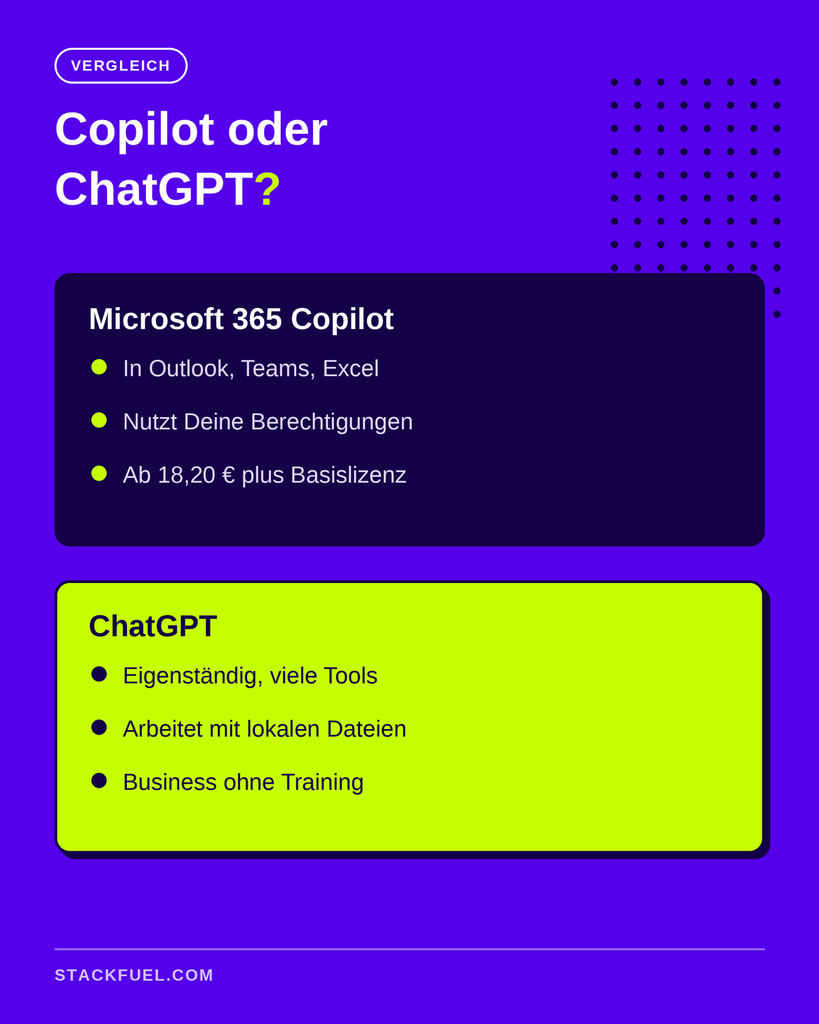
Copilot works with your Microsoft 365 data: emails, calendars, Teams chats, and files in SharePoint and OneDrive. ChatGPT is a standalone assistant that works with your files and many tools from various providers. Copilot is a good fit if your work is centered around Microsoft 365. ChatGPT is a good fit if you work across different tools or want more flexibility.
So the most important question isn't which tool is „smarter.“ It is: What tasks should the AI handle?
How does Microsoft Copilot work?
Copilot is not a single product, but a family of products. Two tiers are relevant for the office.
Copilot Chat is an AI chatbot available to accounts with a compatible Microsoft 365 license and to businesses at no additional cost. It answers questions, summarizes text, and helps with writing, with web search and data protection features for business accounts. It only accesses your internal emails and files if you specifically grant it access.
Microsoft 365 Copilot is the paid full version. It’s built right into Word, Excel, PowerPoint, Outlook, and Teams, and can access anything you’re authorized to view within your company. You can ask, „What was decided in last week’s project meeting?“ and Copilot will search Teams meeting minutes, emails, and documents for the answer. It drafts replies in Outlook within the context of a thread and builds a presentation in PowerPoint from a Word document.
One detail comes as a surprise to many: Copilot is no longer based solely on OpenAI technology. Microsoft offers models from both OpenAI and Anthropic within it. Since June 2026, there has also been Copilot Cowork, an agent designed for longer, multi-step tasks. It was developed in collaboration with Anthropic based on Claude Cowork's technology, as Fortune reported. Copilot Cowork runs in the cloud within your Microsoft 365 environment, is turned off by default, and is billed based on usage.
How does ChatGPT work in the office?
ChatGPT isn't tied to any specific office software. That's both its strength and its weakness. You can connect it to Gmail, Google Drive, Notion, Slack, CRM systems, and many other services. For teams that don't use a Microsoft-only environment, this is often the deciding factor.
ChatGPT Work also includes an agent that works directly with files on your computer within the desktop app, plans entire tasks, and returns completed files. If you want to understand when this mode is better than the normal chat, you’ll find an explanation in the article on the difference between ChatGPT Work and Chat.
The downside: ChatGPT doesn't know anything about your company by default. It can only see your Teams meetings, your Outlook inboxes, and your SharePoint folders if you actively connect them and your IT department allows it. That's not the case in many companies.
How much do Copilot and ChatGPT cost for businesses?
The models differ significantly in terms of cost. For Copilot, the following applies (as of October 2026; net prices per user per month with an annual contract):
- Copilot Chat: No additional charge for business accounts with a qualifying Microsoft 365 license. Chat agents are billed based on usage.
- Microsoft 365 Copilot Business (up to 300 users): 18.20 euros. According to [...], this applies through December 31, 2026. Microsoft Pricing Page a promotional price of 15.60 euros for the first year of the contract.
- Microsoft 365 Copilot Enterprise: 26.00 euros.
Important: Copilot is an add-on. You always need a Microsoft 365 base license, the cost of which is additional. Microsoft also offers bundles that include both the base license and Copilot.
ChatGPT has a different pricing structure. There are plans for individuals (Free, Go, Plus, Pro) and for businesses (Business, Enterprise). The Business and Enterprise plans are particularly appealing to companies because, according to OpenAI, their data isn't used for training. You can find the current prices on the ChatGPT Pricing Page. You don't need a basic license for office software.
So don't just consider the list price—consider the total cost: A company that already pays for Microsoft 365 only pays the additional fee for Copilot. A company using Google Workspace would first have to adopt Microsoft 365 to use Copilot.
Which tool is better for data protection?
Both providers offer contracts to business customers that comply with GDPR data protection regulations and prohibit training using customer data. The practical difference lies in the location of the data.
Copilot works within your existing Microsoft 365 environment and inherits the permissions already in place there. Anyone who isn’t authorized to open a file won’t be able to view it through Copilot either. For IT departments, this is often the strongest selling point. At the same time, Copilot ruthlessly exposes any sloppy permission settings: If access is granted too broadly, Copilot will find it.
ChatGPT is an additional service into which data is actively entered or shared via a connection. For enterprise customers, data is stored in the EU. Many companies are more cautious in this regard because each new connection requires a new authorization.
This issue affects almost everyone. According to a Bitkom Survey from September 2026 Sixty-six percent of companies that use AI cite data protection as the biggest obstacle. The choice of tool therefore often depends less on its features than on what the company’s IT department approves.
Copilot or ChatGPT: How do you decide?
Three questions will help you make a decision.
1. Where is your workplace? If your day revolves around Outlook, Teams, Excel, and SharePoint, Copilot has the edge because it's already familiar with all of them. If you switch between many tools from different providers, ChatGPT is more flexible.
2. What does your company already have? Often, the decision has already been made. Many companies have already enabled Copilot Chat, even if not everyone knows it. Check with your IT department before signing up for a personal subscription and copying company data into a tool that hasn't been approved.
3. Do you want to have someone else answer for you, or do you want to turn in your work? For quick questions and drafts, either one will do. If you want to delegate entire tasks, check out these agents: Copilot Cowork within Microsoft 365, and ChatGPT Work for files and tools outside of it.
| Your Situation | More like a co-pilot | More like ChatGPT |
|---|---|---|
| My work is almost entirely done in Microsoft 365 | ✔ | |
| IT only allows approved tools in the tenant | ✔ | |
| The team uses Google Workspace, Notion, and Slack | ✔ | |
| You want to work with files on your computer | ✔ | |
| You need meeting and email context from Teams and Outlook | ✔ | |
| You want to work on personal projects and learn outside of work | ✔ |
In many companies, the honest answer is: both. Copilot for working with Microsoft data, ChatGPT or another assistant for everything else. If you also want to factor in Claude and Gemini, you’ll find the strengths of the three major assistants in the Comparison of ChatGPT, Gemini, and Claude.
Decision-Making Guide: Copilot or ChatGPT—Three Questions About Work Location, Existing License, and Agents
Why the Tool Matters Less Than the Approach
Whether it's Copilot or ChatGPT: The results depend more on how you ask and verify than on which logo appears in the top-left corner. If you formulate clear instructions, provide context, and double-check the results, you'll get much more out of both tools. The basics for doing this are described in the article on Good ChatGPT prompts, and they apply to Copilot as well.
This is precisely where many teams fall short. According to the same Bitkom survey, 66 percent of companies rate their employees’ AI skills as low. Licenses can be purchased quickly, but the know-how to use them cannot.
For Microsoft environments, StackFuel offers a one-week Copilot In-Depth that discusses Microsoft 365 Copilot in everyday work and includes a comparison with ChatGPT. Those who want a more comprehensive introduction will find it in the AI Training Courses from StackFuel Programs lasting one to two months full-time or three to four months part-time, including automation and AI agents. StackFuel has been AZAV-certified since 2020, and funding through the education voucher is possible. There is no legal entitlement to this; the Employment Agency or the Job Center decides on a case-by-case basis. The overview of Part-time AI Continuing Education.
Frequently Asked Questions About Copilot and ChatGPT
Is Microsoft Copilot the same as ChatGPT? No. Copilot is a Microsoft product built into Microsoft 365 that uses models from OpenAI and Anthropic. ChatGPT is OpenAI's standalone assistant. While the two share some of the same model technology, they use different data.
Is Copilot Chat free? Copilot Chat is included at no additional cost for business accounts with a qualifying Microsoft 365 license. The full version of Microsoft 365 Copilot, which includes access to email, Teams, and files, costs extra.
How much does Microsoft 365 Copilot cost? As of October 2026, Copilot Business costs 18.20 euros and Copilot Enterprise costs 26.00 euros per user per month with an annual contract; these prices are net and in addition to the Microsoft 365 base license. A promotional price is available for Business through the end of 2026.
Can Copilot access my emails and files? Microsoft 365 Copilot can access anything you have permission to use within your organization, such as Outlook, Teams, OneDrive, and SharePoint. Copilot Chat only uses internal content if you specifically share it.
Can I use ChatGPT at work? That's up to your employer. Many companies only allow approved tools. Don't copy any confidential data to personal accounts, and if in doubt, ask your IT department.
Which tool is better for Excel? If your spreadsheets are stored in OneDrive or SharePoint, you can use Microsoft 365 Copilot directly in Excel. ChatGPT Work is a good option for analyzing data from multiple exports or local files. You should review the results in both cases.
Your Next Step
First, figure out what your company has already approved, and then test it out on a real-world task from your daily work. If you want to learn how to use AI tools like Copilot and ChatGPT professionally and find out whether a subsidized training program is right for you, Schedule a free consultation.