
 ChatGPT
 Perplexity
 Claude
 Grok

Most AI jobs in Germany are user-facing roles, not developer roles. So you don’t have to learn to code to stay ahead in your career with AI. You need the right AI skills: abilities that let you use AI confidently, delegate tasks to it, and ultimately build your own small AI workflows. Here are the nine AI skills that will make a difference in the office in 2027—and how to learn each one.
What AI skills will you need on the job in 2027?
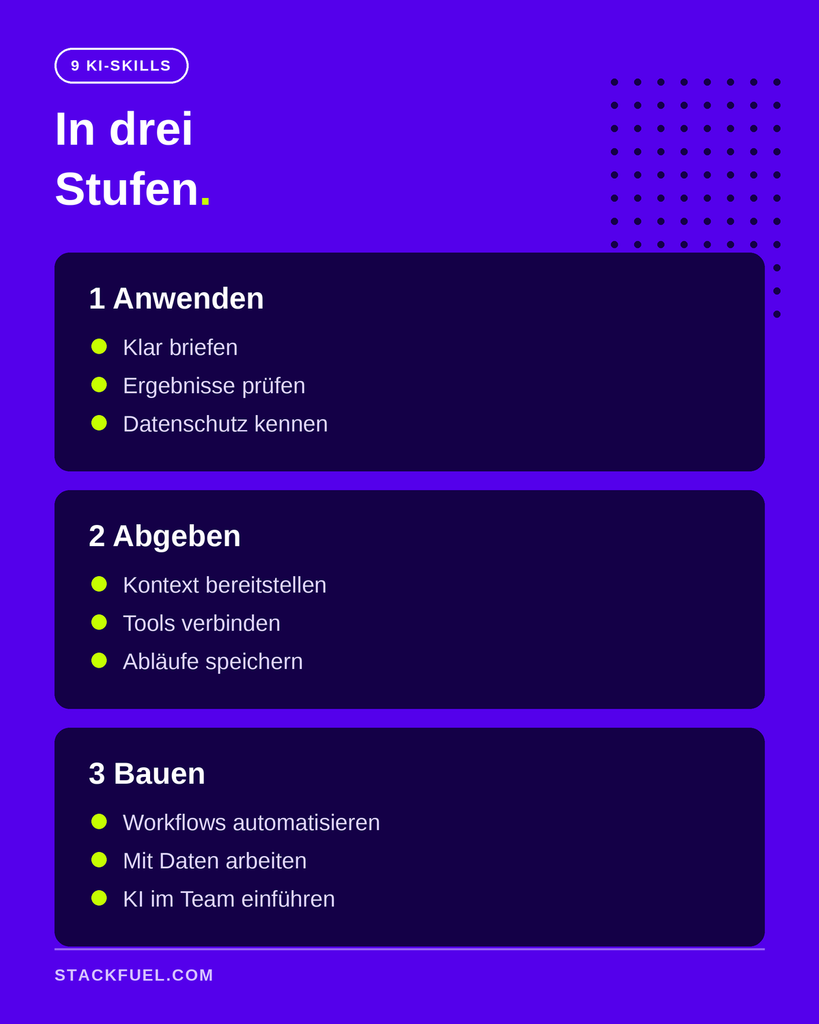
You need AI skills at three levels. First, use AI safely: give clear instructions, review results, and understand data privacy. Second, delegate work to AI: provide context, connect tools, and save workflows. Third, build AI systems: automate workflows, work with data, and introduce AI to the team. Most professionals need the first two levels.
Why AI Skills Matter Now
The German job market is primarily looking for people who can use AI. According to PwC AI Jobs Barometer 2026 In 2025, about 1.3 percent of all job postings in Germany were AI-related—a record high. For every job opening for an AI developer, there were seven for AI users. Those with AI skills earn more than 20 percent more in many industries, and in the energy sector, as much as 39 percent more.
But just having AI isn't enough. A Study by Workday A survey of 3,200 respondents shows that only 14 percent of employees consistently achieve clearly positive results with AI. About 40 percent of the time saved is lost again because AI results need to be refined. It’s the people operating the tool who make the difference.
Companies also recognize this gap. According to Bitkom Only 14 percent of companies provide digital training to all or nearly all of their employees. Thirty-nine percent complain that most training programs on digital topics do not deliver the expected results.
Level 1: Using AI Safely
These are the three skills that everyone who works with AI in the office needs.
Skill 1: Give Clear Instructions
A good prompt for AI consists of four parts: the goal, the context, the desired outcome, and the constraints. „Write an email“ yields average results. „Write a short, friendly rejection to a supplier we want to continue working with—no more than five sentences, without clichés“ yields something useful. You can find specific techniques in How to Prompt ChatGPT Correctly.
Skill 2: Checking Results
AI sometimes makes up facts, figures, and sources, and it sounds just as convincing as it does when providing correct answers. Anyone who accepts results without verifying them will have to correct them later. According to Workday, that’s exactly where a large portion of the time saved goes to waste. Check figures against the source, ask to see supporting documentation, and read every text before you send it.
Skill 3: Understanding Data Privacy and AI Regulations
What data can be used in which tool? Customer data does not belong in a personal ChatGPT account. Many employers specify a tool—often Microsoft Copilot—and have their own rules. On top of that, there’s the EU AI Act: Companies are expected to promote their employees’ AI literacy. You don’t have to be a lawyer, but you should know what your company allows and why.
Step 2: Delegate the work to AI
At this stage, AI takes over entire tasks.
Skill 4: Provide Context
The more AI knows about you and your work, the shorter your briefing will be. Projects, saved files, and specific instructions ensure that Claude, ChatGPT, or Copilot are familiar with your style, your templates, and your clients. In the end, a single sentence like „Prepare the monthly report as usual“ is all it takes.
Skill 5: Connect AI to Your Tools
AI becomes much more useful when it has access to your emails, calendar, files, and specialized programs. Copilot does this in Microsoft 365, and Gemini does it in Google Workspace. Claude and ChatGPT connect to many other tools via so-called connectors and the open MCP protocol.
Skill 6: Saving Workflows as Skills
Complete a task properly once using AI, save the sequence, and recall it next time with a single command. Such skills now follow a open standard and work across multiple AI tools. Here's what sets skills apart from agents: AI Agents vs. Skills.
Level 3: Building AI Systems
You'll need these skills if you're responsible for processes, work with data, or lead a team.
Skill 7: Automate Workflows
With tools such as n8n, Make or Zapier automatically handle AI tasks: a report every Monday, every new request pre-sorted, every invoice processed. You don't need any programming skills to do this, but you do need a good understanding of your workflows. According to McKinsey Companies that redesign their AI-related workflows are the ones that derive the greatest benefit from AI.
Skill 8: Working with Data
Analyzing Excel exports, writing SQL queries, building dashboards in Power BI: When it comes to data analysis, AI saves a lot of time but can also lead to particularly serious errors. Anyone who understands data can tell when an analysis is off. This article shows which tools can help with that. AI Tools for Data Analysts.
Skill 9: Introducing AI to the Team
Finding the right use cases, establishing rules, and getting colleagues on board: This skill determines whether AI will make a difference in the company or remain nothing more than an expensive subscription. This is where AI expertise becomes a leadership responsibility.
Which AI skills are right for you?
You don't need all nine. This overview will help you figure out which ones to choose:
| Your Role | These Skills | Typical Benefits |
|---|---|---|
| Office and Administration | Skills 1 through 6 | Emails, reports, and research get done faster |
| Data, Management, Processes | plus 7 and 8 | Recurring reports run automatically |
| Leadership and Projects | plus 9 | The team uses AI safely and consistently |
Developing AI Skills Within a Team: Start with Level 1 for everyone, because without a briefing, review, and data protection, the other skills won't be very useful. Then assign two or three people to delve deeper into Levels 2 and 3 and develop processes for the entire team.
Including AI Skills on Your Resume
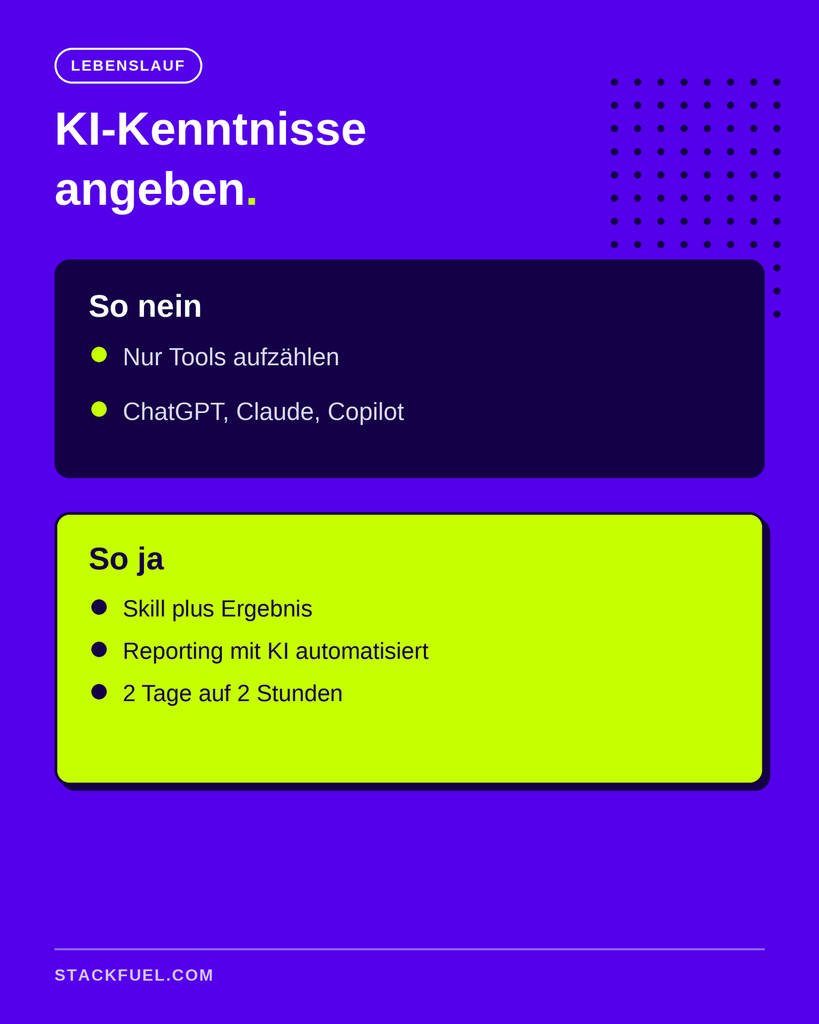
A list of tools doesn’t impress anyone anymore. Anyone can write „ChatGPT, Claude, Copilot.“ What’s more convincing is demonstrating a skill with a tangible result: „Automated monthly reporting with AI, reducing the time required from two days to two hours.“ A certificate is also helpful if it’s based on actual professional development.
How do you learn these AI skills?
The fastest way to learn AI skills is by tackling real-world tasks from your day-to-day work, with feedback and a clear roadmap. That’s exactly how our training programs at StackFuel are structured:
- Skills 1 through 6: The continuing education program for AI specialist covers the application and dispensing processes, from the briefing to saved workflows.
- Skill 7: In AI Workflow Automation You build automated workflows.
- Skill 8: In the Continuing Education in Data Analysis You work with Excel, SQL, and Power BI, using AI in the process.
- Skill 9: In Strategic AI management You'll learn how to implement and manage AI in your company.
You can find an overview of all our programs at our AI Continuing Education. The following shows which careers result from this: What careers can you pursue with AI training?. Our courses have been AZAV-certified since 2020 and are eligible for funding through an education voucher. There is no legal entitlement to this funding; the Employment Agency or the Job Center decides on a case-by-case basis.
Want to know which skills will be most helpful for your next career move? Then Schedule a free consultation.
You are currently viewing a placeholder content from YouTube. To access the actual content, click the button below. Please note that doing so will share data with third-party providers.
Frequently Asked Questions About AI Skills
Which AI skills are the most important? For most professionals, there are three fundamentals: providing clear instructions, reviewing results, and understanding data protection rules. Without these skills, AI often takes more time than it saves. After that, it’s worth providing context and saving workflows as skills.
Do I need to know how to code to learn AI skills? No. Most AI jobs in Germany are user-facing roles. You don’t need any programming skills for briefings, verification, context, or even simple automation using tools like n8n. Code only becomes important when you’re developing your own software or working on complex data projects.
How long does it take to learn AI skills? You'll learn the basics of the first level in just a few weeks if you practice every day. For automation, data work, or introducing the concept to your team, you'll need several months. A structured training program speeds up the process because you'll be working on real-world tasks with feedback.
How do I list my AI skills on my resume? Describe the skill along with a specific result, rather than just listing tools. For example: „Automated monthly reporting with AI, reducing the time required from two days to two hours.“ Include a certificate if you’ve completed a training program.
How do I develop AI skills in my team? Start with the basics for everyone: briefings, reviews, and data protection. Establish common rules regarding which tools and data are permitted. Then designate a few people to delve deeper into automation and data work and build processes for the entire team.
Is there funding available for AI training programs? Yes. Many AI training courses are eligible for funding through an education voucher from the Employment Agency or the Job Center, provided the provider is AZAV-certified. There is no legal entitlement to this funding; the decision is made on a case-by-case basis.