
 ChatGPT
 Perplexity
 Claude
 Grok

Since OpenAI introduced ChatGPT Work, there have been two tabs in the same app: Chat and Work. Both use the same models, and at first glance, they look similar. Nevertheless, they solve completely different problems. Anyone who doesn’t know the difference will either use Chat for tasks they’re bound to fail at, or run long queries in Work for questions that could be answered in ten seconds.
This article explains the differences between the two modes, when to use each one, and what limitations you should be aware of before delegating work to an AI.
What is the difference between ChatGPT Work and ChatGPT?
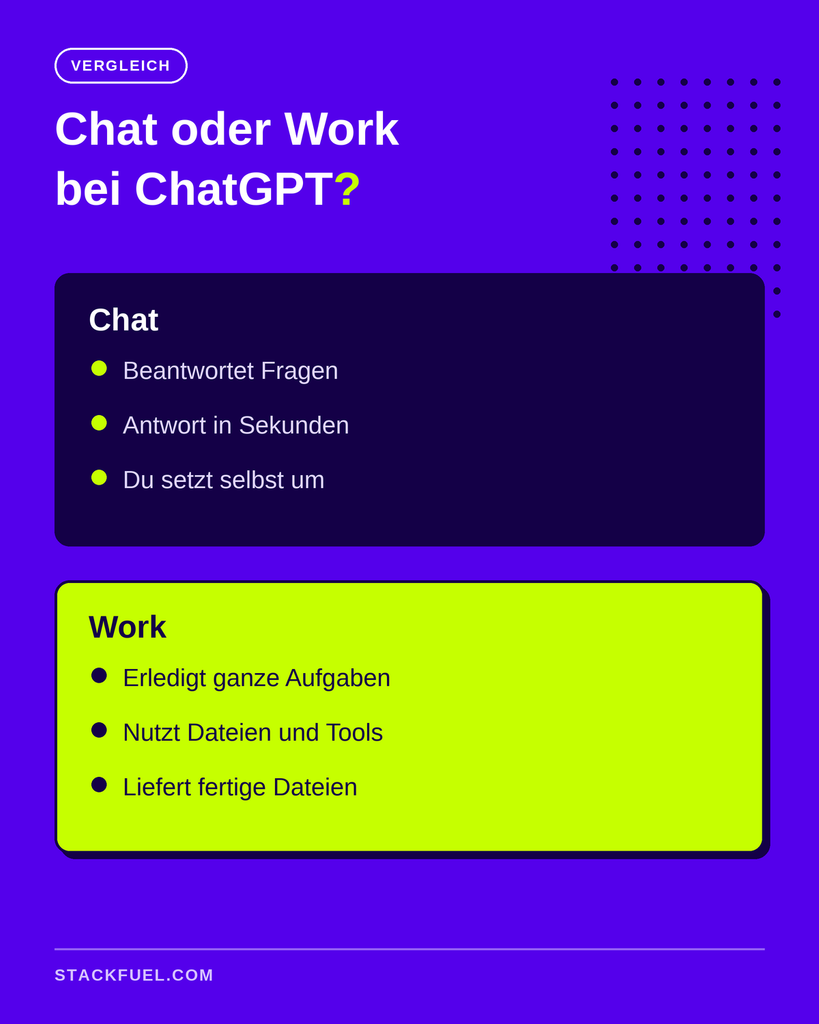
The chat answers questions; ChatGPT Work handles tasks. In Chat, you get an answer and implement it yourself. In Work, you assign an entire task: The AI plans the steps, works with your files and tools, and delivers a finished result—such as an Excel file, a presentation, or an organized folder.
Technically speaking, Chat is an AI assistant and Work is an AI agent. Google describes the difference in its Explanation of What an AI Agent Is, for example: An assistant responds to requests and leaves the decisions up to you, while an agent pursues a goal and carries out multi-step actions on its own.
What is the standard ChatGPT chat designed for?
The chatbot is a thinking partner. You ask a question, get an answer within seconds, and use it to continue your work. Typical tasks:
- have a term or concept explained
- Write an email or a paragraph
- Gather ideas and weigh them against one another
- get a second opinion on a draft
- summarize a text that you copy into it
For all of this, the chat is faster than any agent. The better your questions are, the better the results will be, so it's worth it to, How to Prompt ChatGPT Correctly. The limit is where the actual work begins: The chatbot describes an analysis to you, but it doesn't enter it into your spreadsheet. It drafts an email, but it doesn't send it. It's up to you to take action.
What makes ChatGPT Work different?
ChatGPT Work is an agent in the ChatGPT app that works with your apps, files, and browser to create documents, presentations, spreadsheets, or web pages. You specify a goal, and Work shows you a plan and works through it step by step. In practice, this differs from the chat in five ways.
It works with your files. In the desktop app, you connect Work to folders on your computer via a project. Work reads files from those folders, creates new ones, and reorganizes them. A large CSV export—which the chat rejects when you try to upload it—is no problem for Work because the file doesn't need to be uploaded at all.
It returns files instead of text. Instead of explaining what a report might look like, Work places the finished .xlsx or .docx file in your folder.
It's in your tools. Through plugins, Work connects to services like Gmail or Google Drive and can actually get things done there, rather than just telling you what needs to be done. A plugin combines apps (the connection to the tool) and skills (the instructions for a recurring workflow). OpenAI describes in its Developer Documentation for Skills, how such instructions are structured.
It takes a long time. A chat response comes in seconds. A work request takes as long as the work itself. A folder containing a few dozen receipts—scanned and entered into an Excel spreadsheet—takes about six minutes. A cohort analysis based on five data exports, in which every number must be based on a traceable formula, can take over an hour.
Things will work out even without you. You can schedule tasks—for example, every morning at 8:00—and manage ongoing jobs in the mobile app under "Remote.".
Comparison: ChatGPT answers questions, while ChatGPT Work handles entire tasks using files and tools
How can you tell which mode is the right one?
There's a simple test: Can you describe the result? If the end result is supposed to be a tangible item with a specific form and a designated storage location, the task belongs in Work. If the end result is supposed to be understanding, it belongs in the chat.
Two examples illustrate this point. „What goes into a good cohort analysis?“ is a chat question. You want to understand something. „Create a cohort analysis in Excel using these five exports, with each number as a formula and a separate tab for the results“ is a work assignment. You want a file.
A few rules of thumb can also be helpful:
| Situation | Better in Chat | Better at Work |
|---|---|---|
| You want to learn or understand something | ✔ | |
| You need a draft of the text to work on further | ✔ | |
| This is about the files on your computer | ✔ | |
| The result is a file, a deck, or a table | ✔ | |
| The task involves many steps using several tools | ✔ | |
| The task is repeated every week | ✔ |
A note on expectations: If a Work task is completed in ten seconds, it was probably a chat question. And if you’re manually entering an answer from the chat into a table for the third time, that’s a sign the task belongs in Work.
How much does ChatGPT Work cost compared to the chat feature?
The chat feature is available on all plans, including the free one. According to OpenAI, Work is also available on all plans, but with one restriction: In the free version and on the Go plan, it only works via the desktop app and has strict limits. Web and mobile access are included starting with the Plus plan. Some features, such as scheduled tasks, are completely missing from the lower-priced plans. You can find the current breakdown on the ChatGPT Pricing Page.
Important to note: Work tasks use up significantly more quota than chat questions because many individual steps run in the background. Anyone who uses Work extensively in their daily work will therefore quickly end up on a paid plan. For businesses, there’s an additional consideration: According to OpenAI, data from the Business and Enterprise plans is not used for training—which is a prerequisite for many companies to share real files in the first place.
What are the limitations of ChatGPT Work?
Work isn't a substitute for your own judgment. There are three things you should know before you hand in assignments.
Longer runs mean bigger mistakes. An agent who has worked for an hour sounds just as convinced when dealing with the wrong parts as when dealing with the right ones. Therefore, build the verification process into the task—for example, by requiring that every number in the spreadsheet be entered as a formula rather than a fixed value. That way, you can trace every number back to its source.
Read the plan. Before Work gets started, it shows you how it plans to proceed. If the approach is wrong, stop after two minutes and correct it. That costs less than getting the wrong result after fifty minutes.
The browser is the last resort. Work can control a built-in browser to access tools that lack an interface. However, that is the least reliable part. A direct connection via a plugin is almost always more stable.
Anthropic, the developer of Claude, describes the basic principle in its guide to effective agents To put it simply: Agents are best suited for open-ended, multi-step tasks where the solution path cannot be determined in advance. For everything else, a simpler approach is better. The same applies to ChatGPT.
Decision Test: Can you describe the result? "Yes" leads to ChatGPT Work; "No" leads to Chat
What does that mean for your day-to-day work?
Chat remains the tool you use for most of your day. Thinking, formulating, explaining: It’s faster at these tasks than any agent. Work changes something else entirely—namely, the question of what work you actually still do yourself. Recurring reports, document filing, consolidating exports, or preparing data for a meeting can all be formulated as tasks and delegated.
That is exactly where the gap between companies is currently emerging. According to a Bitkom Survey from September 2026 Currently, 57 percent of German companies use AI, but only 3 percent believe they are making fairly good use of its potential. Only 11 percent currently use AI agents, while another 29 percent plan to do so. So the tool is available. What’s usually missing is the knowledge of how to clearly formulate an entire task and verify the result.
This capability is tool-independent. Claude distinguishes between chat and agent-based tasks using the same principle, and anyone who wants to know the differences between the major assistants can find them in the Comparison of ChatGPT, Gemini, and Claude. The following provides a broader overview of the tools available and their intended uses: Overview of the Most Important AI Tools.
If you want to do more than just try out AI—if you want to learn how to use it as a working method—you can do so in a structured way. The AI Training Courses from StackFuel The courses last one to two months full-time or three to four months part-time and cover not only prompting but also automation with n8n and working with AI agents. As an AZAV-certified provider since 2020, StackFuel can bill for the courses using the education voucher. Whether you receive one is decided by the Employment Agency or the Job Center on a case-by-case basis; there is no legal entitlement to it.
Frequently Asked Questions About ChatGPT Work and Chat
Do ChatGPT Work and ChatGPT use the same models? Yes. The difference isn't in the model, but in what the AI is allowed to do. In Chat, it responds; in Work, it plans steps, uses tools, and creates files.
Can I use ChatGPT Work for free? Yes, through the desktop app with strict limits. Web and mobile access, as well as higher quotas, are available starting with the Plus plan. Some features, such as scheduled tasks, are not included in the free and lower-priced plans.
Do I need the desktop app for ChatGPT Work? As far as your own files are concerned, yes. Only the desktop app can access folders on your computer in local mode.
Is ChatGPT Work safe for company data? Work only accesses folders and tools that you share. Your employer determines whether company data can be included. According to OpenAI, data is not used for training in the Business and Enterprise plans.
How long does a task take in ChatGPT Work? From a few minutes to over an hour, depending on the scope. Small sorting tasks can be completed in minutes, while extensive analyses involving multiple data sources take significantly longer.
Will ChatGPT Work Replace Chat? No. For questions, explanations, and drafts, the chat is still faster. Work is intended for tasks that are meant to result in a finished product.
Your Next Step
Try this test on your next task: Can you describe the result? If so, formulate it as an assignment. If you want to learn how to use AI tools like ChatGPT Work confidently on the job and would like to find out if a subsidized training program is right for you, schedule a free consultation.